-
You can now turn your wordpress.com blog into a Fediverse instance
I was so excited to find out that WordPress.com has finally enabled ActivityPub integration with the Fediverse. This means that this blog of mine can essentially act as a Fediverse instance or account. So, if anything happens to Hachyderm, I can rely on my website to act as my touchpoint in the Fediverse.
This could be a big game changer for the Fediverse. We no longer have to rely on the kindness of strangers to host us on the Fediverse. From what I can see, WordPress.com has made it quite easy for the layman to step into Federeted social media spaces. Before, you’d have to have above average tech know-how to set yourself up in the Fediverse.
However, I’m not sure how the other instances will react to the flood of WP.com Fediverse accounts coming their way. Will they federate with them or put up shields?
This also opens up another problem for me, personally – I now essentially have two accounts in the Fediverse. Three if you want to count my DramaTea blog’s Fediverse account, so managing three profiles is not what I call a fun thing to do.
I’m pretty happy and settled at https://hachyderm.io/@liztai and am probably not looking to move anytime soon.
Also… let’s say I do want to move my followers from my Hachyderm account to my @elizabethtai.com@elizabethtai.com account … how do I do it? Lots of questions, still!
I’m still exploring the feature. But a few things have been written about this that you might find useful:
-
Single kitty syndrome – yes, it’s real!
I learned the hard way that many kittens do not do well left alone all day. Frankly, Apricat probably would’ve fared much better in a household with many people so that she could get attention on a regular drip from various people in the family.
She would have also fared even better if there was a second kitten to play with.
And I’m now 100% sure that she has single kitty syndrome.
A lot of kittens do not do well in a single households whose owners are often away for hours at a time. Apparently, a lot of shelters have a recommendation that you need to adopt kittens in pairs.
In 2021, I house sat for a friend and helped care of her two cats while she was away for two months. I realised how healthy it was that they have each other. Watching the two play was entertainment in itself! A lot of times I had to be away for half a day, but the cats were none the wiser and forgot that I was even away.
But imagine a single kitten alone for two months with just the occasional visit from a pet sitter. I can only imagine the horrible loneliness they must face, especially if they are social, playful cats.
This infographic describes Single Kitten Syndrome quite well:

Apricat had almost all these behavioural issues! Fortunately, she did not have litter issues (thank God for small mercies), but was very aggressive with it, as if she was beating the crap out of it lol.
So, tips for people wanting to adopt a kitten:
- Please adopt two, especially if you are away a lot for work. It is healthy for their social and mental health to have a companion. And try get an already bonded pair as sometimes some kitty relationships don’t work out. I pored through Reddit threads to search an answer for this issue (I was thinking of getting Apri a friend), but it seems that there’s a 50-50 chance that it won’t work out because your current cat prefers to be alone or it just doesn’t match.
- It is not a good idea to get a single kitten when you live alone, as her care depends 100% on you. It will be very taxing on you as you need to play with her a lot and probably discipline her if behavioural issues crop up. Of course this depends on the personality of the cat. Some kittens are very chill. But if you happen to get an super energetic one, be prepared to spend up to 3 hours playing with her a day.
- Kittens taken from their litter mates too young, unless socialised with other cats, may develop bite-y tendencies as they’ve not learned the rules of proper play from their littermates. It will take a very patient and probably experience cat owner to discipline and modify her behaviour. A friend who had such a cat said her cat never really improved, but fortunately the entire family took the load off her by managing her cat.
- It’s better to adopt a cat whose energy matches yours. Let’s say you are struggling with an illness that tires you out a lot. Getting a high energy cat is probably a bad idea.
- It’s also best to match a cat with another cat of similar energy. For example, an older cat who just wants to lie in the sun all day will find a rambunctious kitten really annoying.
Far too often new cat owners are just not educated about this. I certainly wasn’t! I was quite shocked that single kitten syndrome was even a thing. And the scariest thing is if not corrected at a young age, it may worsen with age, meaning, you may end up with an aggressive, ill-mannered cat.
So I wrote this article as a way to get the word out there so you will be able to find the best cat for you. 🙂
-
Taming my information consumption
I’m an information junkie. If my recent foray and obsession about geopolitics isn’t a clue, I also tend to get obsessive about certain topics, which will lead me to consume every video, essay and podcast about the topic. This weird ability to absorb massive amounts of information at one go has aided me in my career, especially when I had to transition to a totally new field.
However, it isn’t great for my mental health, as I wrote in the post, 2023 Q3 Update: A cat and social media burnout.
Some of the content I’m regularly consuming:
- Over 80 Substack subscriptions
- Hundreds of RSS feeds
- Dozens of podcasts
- Youtube channels galore
This essay will focus on my text content consumption, which I’m having the most trouble with.
Originally, I funneled the text content into ebooks which I created via Calibre. However, I discovered a few snags in the system:
It was quite an operation to create these ebooks, so I kept putting it off, leading to the content to accumulate in alarming ways
It took me a long time to read the content.
I need to acknowledge that subscriptions that I tend to skip – I have to unsubscribe for them as they are clogging the feed.
Here’s what I’m doing to streamline my content consumption
Operation Substack clean up!
Like I said, I have over 80 Substack subscriptions. Initially, I was really careful with my subs because I don’t want to get overwhelmed. Then Notes launched and I found so many interesting people and newsletters that I began a mad subscription spree.
After my social media burn out, I have to admit that I just cannot keep up with 80+ subs. Especially when it comes to fiction newsletters. I am very particular with my fiction. You can say that I’m super fussy, so I had to be brutally honest with myself: I needed to wean out fiction that I didn’t look forward to.
I found myself gravitating more towards personal essays and travelogues from diverse parts of the world. Ie … not always from the United States. Please don’t take it the wrong way, it is just that there’s so much content about the United States or stories revolving around the United States that I’m literally dying for diversity.
I’ve also decided to also stop using the Substack app to read my content. I really like the audio feature, however, but it is buggy. Sometimes that feature appears, sometimes it doesn’t.
On the platform, you have the option to list the Subs that you follow. Originally I just plonked all my subs there. But I’ve shaved it down to less than 20. These are the folks that I’m making the effort to form a relationship with. I’m no longer gobbling Substacks but carefully grazing them and talking to these folks. It’s just saner and more manageable to build relationships with 15 rather than 150 people!
Using RSS as my main capture tool
Before, I had used the Substack app (which was buggy at best), the Calibre ebooks, Pocket to capture articles. Needless to say, having my content split into so many places was making it hard to focus. Now, I will follow Substacks and blogs via RSS which Feedly will then feed me. And then I will…
Browse, scan and choose what to read
Yes, I’m going scan the headlines and pick what I read. I have to admit that I just cannot read every single article. I can only read something that captures my attention.
One major reason why the Calibre ebooks didn’t work for me was because I felt compelled to read them all even when I didn’t want to, and also that it didn’t make it easy to scan content.
Send certain content to Pocket
Pocket is a wonderful app. I adore it. And one of the best things about it is that I can listen to the articles. I’m trying my best to spare my eyes the burden of reading via smartphone or tablet, and try read as much as I can via my ebook reader, Boox. The Boox has the Pocket app which I could use to read my chosen articles at night without the blue lights from the smartphone or table affecting my sleep.
Take notes on certain content using Raindrop.io
My Raindrop app, which is sorta like Anchor, is connected to my Obsidian vault. Some articles, which I think valuable enough to be part of my research will end up here. There, I make highlights, which is then exported to my Obsidian vault. I rarely do this, to be honest, As I prefer to be on my desktop rather than my smartphone when researching about things.
I could’ve used Readwise to do this but I am trying not to be too dependent on apps to do crucial things.
So, before my text content consumption workflow looked something like this:
- Most blogs / Substack > Calibre (turned into ebooks)
- Random online articles > Pocket > Raindrop
- Some blogs / Substack > Feedly (via RSS)
- Some Subtacks > Substack app
Now it looks something like this:
- Blogs / Substack > Feedly (via RSS) > Pocket > Raindrop (select few) > Obsidian
- Random online articles > Pocket > Raindrop (select few) > Obsidian
Not only is this informational flow simpler and more streamlined, it enables me to funelled them to my Obsidian vault. Before, I only did it with articles I captured via Raindrop as other methods were such a bother. Now, this could give me the chance to capture blogs/substacks if I want to.
How about you? Are you having a headache with the information deluge??
-
Politically incorrect lessons about cat ownership

As I wrote in a previous post, fostering Apri has been eye-opening. Unlike my previous fosters, she was not sick or injured. Also, she was very young, about 7 months. I’ve fostered mostly senior or middle-aged cats. I soon realised that teenage cats have a lot of needs. Mostly, the need for stimulation, which I’m unable to provide as I’m always out of the house and live alone, unfortunately.
And I tried to provide that for her by getting her a cat tree, automatic AI-controlled toys, boxes, walks on leashes … but it wasn’t enough for Apri. Day by day I see her showing more and more behavioural problems. (She was scratching me so often at one point that I had a new mark each day.) Mostly, I could sense that she was terribly bored and frustrated, and that her walks outside was only making her even more frustrated.
After talking to several experienced rescuers, cat owners and poring through Reddit, I came learned several lessons about cat ownership, some of which would probably offend a large swath of the Internet.
The following points is something I wished would be given to new cat owners or those who are thinking of having a cat but have zero to little experience in owning one.
It’s an utter misconception that cats are “less work”
Sure, they are independent creatures who probably don’t need much monitoring, but they have needs, especially when they are younger. I swear, I’ve had a much easier time taking care of my dog who had multiple health issues. I am literally worried each time a cat is sick because I have to give it pills, and I’m often bitten when I try.
Also, since cats are agile, nimble creatures, if you choose to keep them indoors, be prepared for escape attempts and cat-proofing your home to the wazoo. If you have a balcony, be sure it is fenced up. I don’t have to do that for my dog as much! A gate is all it needs to be kept in the compound while a cat would probably need a catio.
You need to be prepared for medical expenses
If your cat is taken from the streets, be prepared to shell out money for vaccinations and neutering/spaying procedures. It’s the very minimum you should do. Then, as the cat ages, they will end up with more and more medical bills. You have to be prepared financially for that.
“Cats should be kept indoors” is a very region-specific norm
This was a surprising discovery for me.
Suggest that a cat should be allowed outside on the Internet, and you’re probably going to be yelled at for being irresponsible. Usually the culprit is an American or an Australian.
Apparently it’s a very hot topic among cat owners in the US. There are cat owners in the US who allow their cats outside, and there are even working cats – barn cats – who live in farms and who spends their lives catching mice for the farmers. But these people prefer to remain silent because they are often assumed to be “irresponsible” and “pro-bird-deaths”.
Interestingly, many folks in the UK are not only okay about cats roaming outside, but think keeping them indoors-only is cruel. Some UK shelters do not allow cats to be adopted unless they have access to the outdoors! (The opposite recommendation is made for US shelters, of course.) These Reddit threads are quite interesting to read:
- Why is it normalised to let your cat roam outside?
- How do you feel about the culture of allowing cats to free roam in the UK, vs the expectation in Australia / US that cats should only be outside if supervised?
I even asked folks on Mastodon about this indoor/outdoor debate, and noticed the same trend: Americans/Aussies prefer cats indoors, Europeans are fine either way. However, the American tendency towards indoor cats maybe skewed online. I was also told that there are many Americans who are okay with their cats outdoors too.
The recommendation for making cats indoor is due to the fragility of US and Australia’s ecosystems. Cats were only introduced a few centuries ago into America and Australia, and have been wiping out native species. Meanwhile in Europe, cats have been part of the ecosystem for centuries, if not millennia. So, the wildlife are not as endangered by them.
How about Malaysia?
Cats have been around for yonks in Asia, and as far as I know, Malaysia doesn’t have predators like coyotesor raptors that could chomp on them like in the United States, though if a cat were to wander around a kampung he could end up in the stomach of python.
Ideally, cats should stay indoors, but I’ve come to realise an unconventional truth: Whether you need to keep a cat indoors are influenced by several factors:
- Cultural influences (for eg US)
- The presence of predators
- A place with lots of cars
- A cat’s personality
Therefore, whether a cat can be an indoor cat depends on the cat. So, every case is different. “Every cat should be an indoor cat” is an idealistic concept that may not be realistic in some cases.
Personality fit is very important
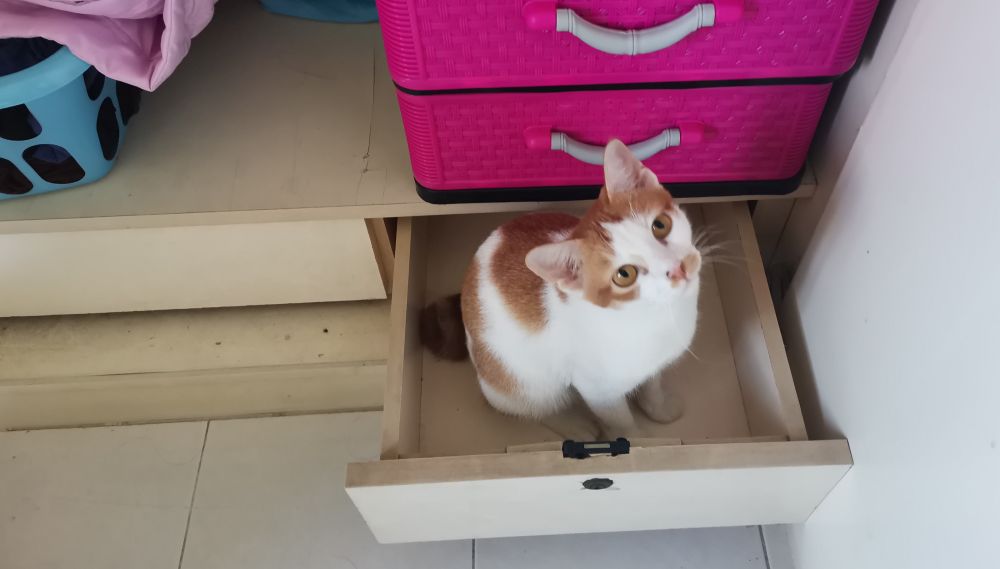
I have friends who have indoor/outside cats. Meaning, their cats are allowed to roam. I’ve always wondered why they’re okay about exposing their cats to many dangers outside – diseases like FLV, FIV, cars, mean humans, dogs … I shudder when I think about it all.
But here’s something I realised after fostering two escape artists: Sometimes they are so miserable indoors, you just need to let them go and accept that they may have shorter lives.
I had a friend who has a fluffy, gorgeous black Persian. He is what I call, a perfect kidnappee candidate in Malaysia, where these pets are often snatched and resold. So, my friend tried to keep him indoors, naturally.
But the Persian wouldn’t have it. One day, the cat crashed through a window to escape. So, my friend has given up and lets him roam. Void comes home for meals and is generally less inclined to crash through glass windows now, and is much happier. My friend does worry when he doesn’t come home, but keeping him indoors was making both of them miserable. (And in case you’re wondering, the Persian cat is neutered.)
You will know when a cat is miserable. They yowl. They act out. They moan. They escape at every chance.
When I was fostering these escape artists, I was exhausted from preventing them from escaping or perching at dangerous corners of the apartment.One of my fosters escaped a few days before he was supposed to be neutered. My neighbour and I watch him trot happily away, his tail held high, and she said: “Let him go. Look how much happier he was.”
He had been soooo miserable in the tiny apartment with me that I was relieved to see him finally happy and free. Yes, this is the unconventional, politically incorrect feelings I had about the matter.So, yes. While I prefer cats to be indoors, especially if I own one, I know that for me to have an indoor cat he must be the right personality fit, and I must have the right home for it.
You need to have the right abode
Not all cats can be happy in a small space. I quickly realised this with my fosters who were mostly “oh my god let me out of here” cats.
My very first foster was a senior who was content to sleep all day and stare at me from the darkened corner of the apartment. He hated cuddles, disliked attention and was just a little furry statue with occasionally blinking eyes. (Wrote about his story here – scroll down to the Aug 2022 entry.)
I once said to him, “Ya know, if you were not having the runs every day, you’re the lowest maintenance cat ever.”
The escape artist cats kept my stress high because they obviously did not like being cooped up in my tiny apartment and were always following me around and meowing at me to be let out.
Apricat, that scamper, has taken to nipping my toes to get my attention when I’m trying to work or wash the dishes. And it was a bad idea to keep a cat like that in an apartment with balconies, even if it was on a low floor—the cats liked to perch at scary places, and each time I try to remove them I get an annoyed swipe.
If I’m to keep a cat as dominant and adventurous like Apri indoors, I would make sure I have a garden and a backyard, and fence it up to prevent her from escaping.
If you live alone, you may have trouble managing a cat
Of course, that’s not true for every cat. But a highly energetic cat will need lots of stimulation, especially if you plan to keep it indoors. If you plan to let the cat roam and treat your home like a B&B, most probably it’ll be more manageable.
If you have a family, every member can help you care for a cat. If you are alone, the care will be entirely on your shoulders, including the bills. Are you prepared for that?
Are you really a cat person?
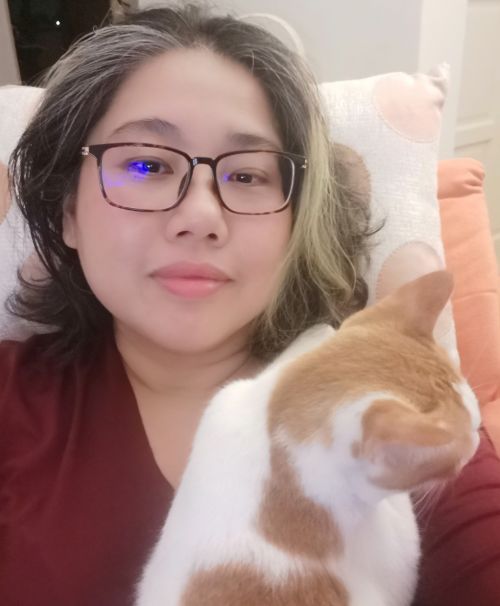
I am actually very nervous when Apri lies on me like this because she likes to place her mouth right next to my carotid artery. I know this sounds hilarious, but I’m actually worried that she’ll one day bite me unexpectedly there! The most politically incorrect question ever! But I’ve come to realise that I’m more of a dog person. I like cats, don’t mind petting them and caring for them. But I’m nervous around them. Yes, you can even say that I am afraid of them.
I get anxious about their unpredictability, their tendency to bite or claw you, the difficulty in giving them medications (because they will bite and claw you).
When I tell cat owners that I hate being clawed and scratched by them, they usually have little sympathy and would say: “Oh, that’s normal!”
Like it’s nothing.
But to me, it was not nothing. I pretty much afraid of a cat after they do that and avoid them like a plague. Even if they were doing it because they were rough playing.
This was something I had to struggle to accept because I consider myself a brave person! But I’m not brave with sharp fangs and claws lol.
When you’re confined in a 900sqf apartment with a temperamental, bite-y cat, it is a recipe for high blood pressure.
And I know that at times Apri is just playing with me. However, there were clear moments when I knew she was pissed off at me. Like that time when I tried to bring her into the apartment after an hour’s long walk on a leash, and she wasn’t having it, and I ended up having to get a neighbour to help me.Yet, my neighbour who is an experienced cat owner, did not dare to go near Apri because she was hissing and yowling.
So, yeah.
If you want to own a cat, you need to consider all these factors. Really, really consider them and ask yourself—can you do it? I wish someone had given me this list when I toy with the idea of owning a cat. It would have slapped me awake instantly!
However, if you are considering adoption, do work with an experienced and reputable rescuer or shelter who will give you a home trial. There’s no harm in “failing” the trial. You need to make sure it’ll work, after all. Your cat needs to have the best life it can get, and you need to be able to manage it.
-
Weekend Tales #3

Subscribe to continue reading
Subscribe to get access to the rest of this post and other subscriber-only content.
-
2023 Q3 Update: A cat and social media burnout

Don’t ever make any decisions when you have social media burnout, or you’ll end up like me. Namely, you end up with a cat foster to look after when your brain is screaming for rest.
But I mean, look at her. Just look at her. Isn’t she the cutest cinnamon roll?
She’s an energetic, super playful lap cat who wants attention all the time. But this cinnamon roll has fangs and sharp claws, and I’ve been “blessed” by them the last 2 months since I looked after her. Especially when I don’t give her enough attention or she decides to play rough.
So, it’s been an, er, interesting transition the last few weeks. Both of us figuring out what’s good or not. You know the Western-style parenting advice of saying “No!” and walking away, ignoring said cat when she does something naughty? Yeah, well, doesn’t work with this cat. An Asian method is employed with this one, namely done with a water squirt bottle. There were times when I got so frustrated, especially after a random, unexpected swipe from Apri that I end up in tears. Why in the world did I decide to take in a cat at a time when I’m mentally taxed?
Anyway, I’ve named her Apri. Short for Apricat. And I’m here to tell you that ChatGPT named her — I just thought that “Amber” was such a plain vanilla name to give such a crazy cat, so asked ChatGpt to come up with a funny name, so it suggested Apricat. I thought it was brilliant. Especially because it elicits confused looks from people.
I consider her a foster, not an adoptee, but I’m veering close to foster fail on some days. But on more rational days I realise a cat as energetic, playful and loveable as her would not do well in a single-person household confined to a tiny apartment alone all day. And I’m in no position to adopt another cat. So, the best thing for Apri is to be in a household with a loving and patient family and with a cat sibling.
And yes, well, I did mention social media burnout.
It’s really due to my sudden interest in geopolitics, namely the evil empire, China.
Now, some of you may nod your head in agreement that China is indeed an evil empire. But if you’ve been reading my latest posts, namely this and this, you’ll probably backpedal hard – either from me, or from that smile you were wearing.
But, anyway. There was this period of time when I just got sucked into the rabbithole and went way too deep. My posts, alas, invited racist remarks. Because let’s face it, comments about Chinese people being evil or do not have two brain cells to rub together or even the courage to determine their own futures is racist. I was just hugely disappointed that some people I followed and respected had these opinions, it does make me wonder what they think of me, even though I’m part of the Chinese diaspora and am probably only 80-90% Chinese.
I also just couldn’t with the hypocrisy and condescension from these comments.
But I also want to quickly say that I met a lot of super great people (who are Westerners), who are open-minded and realise that geopolitics is far more complicated than the typical mainstream Western narrative of West = force for good, China = bad.
Besides, the comments, I was also consuming way too much rage-inducing content.
I really appreciate what these channels are trying to do, but I realise that I do not see how their content can be healthy for me (or anyone) as they cause me to be angry at the West, angry at Americans, angry at general, with anyone with a different skin colour or nationality than me. It was more than a little concerning that I found myself thinking these thoughts!!
Not great! We need far more … peaceful content that doesn’t provoke anger and frustration but peace and inspiration.
Is it possible with Geopolitics?
Probably not. To quote Kishore Mahbubani: “Geopolitics is a cruel business.”
-
Why I’m ditching Obsidian as a task manager
- When Obsidian stopped working for me as a task manager
- There are a few problems with this system, at least, for me
- I have to add tasks to more than a dozen project notes
- I have to schedule my tasks
- I needed mobile access after all
- I do not get good visibility of my tasks
- I needed more functionality to my task system
- I spend far too much time organising my tasks rather than doing them
- I’m no longer taking notes of what I’m learning!
- What’s next
When Obsidian stopped working for me as a task manager
For most of this year, I’ve been using Obsidian as a task manager. It’s been working swimmingly for me. I liked how everything is in one place – my project notes, what I learned at work, and my tasks.
Until it stopped working for me. A couple of weeks ago, I realise that I’m still overwhelmed despite using the system.
Initially, I found myself avoiding weekly reviews more and more, which is a bad idea as they are crucial to keep me sane during the working week. Back in the days when I was literally managing the content of a global company, it would’ve been suicide to skip a weekly review. It isn’t suicide now as a tech writer, but it will make me foggy and put me in firefighting mode the whole week if I skip it.
But yet, I find myself avoiding the task over and over again. So I set out to find out why.
In the end, I realised that it fundamentally came down to the system I’ve set up in Obsidian. My system is explained in the video below.
Basically, my tasks “lives” in individual project notes. Then, using the Tasks plug-in, I embed it in my Daily Notes template so that I get to see what I have to do each day.
There are a few problems with this system, at least, for me
I have to add tasks to more than a dozen project notes
It makes my workflow less seamless than I’d like.
I have to schedule my tasks
Tasks is set up in a way where I need to put in a date to ensure it appears in my daily notes. The problem with this approach is I often do not know, week by week, when I can do a certain task. While I can roughly say I’d like to do a task in a particular week, I can’t say the same for a particular day. I find myself rescheduling a task over and over again, and looking at the ever-expanding list of Overdue tasks makes my brain sad.
I needed mobile access after all
I have jury rigged a way to access my Obsidian vault without using its Sync features, so I can actually open, edit my notes on my mobile. However, it isn’t easy to do the same with my tasks. So a lot of times, I can only access my tasks during working hours. As a result, I find myself ignoring and forgetting to do my personal tasks, which I often action after working hours.
I do not get good visibility of my tasks
As most of my tasks are nestled in Project Notes or my Someday/Maybe project notes, I don’t have a bird’s eye view of what tasks I have in entirety … unless I open all the project notes.
I needed more functionality to my task system
I actually do have a page that lists all the tasks that I have on my plate, include the someday/maybe ones. But that’s yet another document to add to my weekly review. I suppose I could use the Dataview plug-in to get more functionality, but I’m reluctant to add more complexity to my Obsidian vault. Unlike some, I’m not a fan of adding a bazzilion plug-ins to make Obsidian more feature rich. To which I come to this point:
I spend far too much time organising my tasks rather than doing them
I have to open, review and edit a dozen project notes a week. No wonder I dread doing my weekly reviews! Imagine having to pore over that amount of documentation or information just to figure out what I need to do next week!
There’s also one more reason why I think it’s a bad idea (at least for me) to turn make Obsidian my task manager.
I’m no longer taking notes of what I’m learning!
I get a little stab of anxiety each time I open Obsidian these days. Where what used to be a delight, a little library of my thoughts and ideas, is now a reminder that YOU HAVE SO MANY TASKS PENDING, DON’T YOU KNOW?
Maybe, just maybe, Obsidian should just do what it’s best at: As a note-taking app.
What’s next
I think I know what’s the true source of my anxiety when it comes to my system. I came across an interesting video by Carl Pullein about how organizing tasks into project folders (like how I’m doing it) is a recipe for overwhelm. Instead, he recommends a “time sector” method.
It made me go – aha! That’s how I’d prefer to organize my work. Since my work is often fluid, and priorities change day by day, I’d like a system where I can “see” what I need to do in any week. I found Pullein’s system fascinating.
Sure, I could replicate this system in Obsidian, but you know what? I don’t want to do the legwork and like I said, I don’t want to add more complexity to my vault. And what if there comes a day when the plug-in suddenly stops working? The thought of having to fix a system held up by a web of plug-ins is not appealing to me. What if I just use a ready-made platform?
So, I’m moving my tasks to Todoist, but still keeping notes via my project notes. I may use an Obsidian-Todoist plug-in to embed Todoist tasks on my Daily Notes, but that’s something I’ll look into in the future.
Just a few minutes of adding my tasks into Todoist, I felt a kind of peace. I’m not sure if it’s the novelty of a new thing talking, or whether I’m finally seeing the “layout of the land” when it comes to the tasks I have on my plate.
However, I’m not sure how to integrate my work’s Jira project management system with Todoist, and I’ve not found an easy way to compartmentalize my tasks the way Pullein does it in Jira.
I just hope the context switching won’t make my workflow more challenging than it already is! Stay tuned for the results of the experiment!
-
Interesting podcast: Multipolarity? Schmultipolarity!
I enjoyed this debate about imperialism and why there’s a move towards a multipolar world – both touchy subjects but Justin Podur and Sam Gindin discussed it with such civility. Far too many of our conversations about geopolitics are rage inducing. We need more grounded debates like this.
Both have really good points. I agree with what Sam said about China’s contradictions and South Africa’s rampant corruption that could factor in to their growth.
That said, I lean more towards Justin because I’m not particularly enamoured with Sam’s proposition that capitalism is a force for good. Justin explains that countries backed into a corner will do what it needs to survive America’s viselike grip on the world politics and economy.
Sam’s assertion that China don’t have capacity to be a world no.1 is flawed because China doesn’t really want to be the world’s police or even replace the US. Probably wants to be richer and more powerful, and make the world more diversified and multipolar, but no.1? It’ll get in the way of their ambitions. This is a common flawed (and Western) assumption of China.
-
It’s probably impossible to be neutral about China
The other day, I was watching a lecture by the former Singaporean foreign minister George Yeo when waiting for dinner to start at my parents’ home. He was talking about Europe’s position in a world where China is ascending.
My Mum sat next to me, and as she watched, she frowned.
“Why are you watching this? Interesting meh?”
“It’s my current obsession.”
“I thought last time you were crazy about gardening. Now you want to know about China politics? Don’t you think there are better things to think about?” she tuts.
We both shrugged and I continued to watch George Yeo debunk the commonly held beliefs Europeans had about China while my mum complained about how boring the lecture was.
Not the lecture I was talking about, but a good one nevertheless. Because the interviewer wasn’t condescending or constantly interrupting!
I get obsessed about topics, and there’s no common thread to my topical obsessions. At one point I was obsessed with jewellery making. Then I quickly got bored and moved on to plagues and vaccines. And then it was the Indie Web.You get the idea. I find many things interesting and this unique trait has helped me greatly in my career, even the one beyond journalism.
But none of my topical obsessions would get me in trouble or paint me in a bad light like my obsession with China.
Or rather, my obsession with the current Western narrative of China and how it is so different from my South-East Asian one.
I am aware that if I write about this, especially on Western-dominated media or platforms (which is, I realised, almost everything), I’ll probably be flamed, viewed with disdain and scorn, lose friends or have my real life impacted in some way. I mean, it’s not “probably” but more like “guaranteed”, based on my experience on Mastodon.
And that’s pretty disturbing—realising that many people will misunderstand and dislike me automatically just because I hold a different view of a topic they feel passionately about.
They don’t understand China
But my problem is that while they feel passionately about China, many don’t know China.
Their lack of understanding and virulent refusal to fix that disturb me greatly. The fact that so many are unaware that they’re being driven to accept and endorse yet another American war despite repeated incidences in the past, is exasperating. But most of all, having to grit my teeth as I endure, at the risk of sounding dramatic, racist microaggressions and condescension from what I thought were level-headed people is stressful.
Mind you, if war does spark between China and America, South-East Asia will be the battleground. I picture war ravaging this region while armchair Americans, safe in their continent thousands of miles away in their suburbs, lecture us about human rights. Pah!
So yes, each anti-China post makes me afraid, because America’s people are so ignorant about the consequences of their “moral high ground”.
The desperate search for nuance
In a drive to understand what the hell was happening, I read more about this topic.
After a while, I decided that Western publications and thought leaders were just hopeless sources of information about China. They often speak without understanding the nuances of Chinese history and culture. Their thoughts are: “China is not like us, refuses to be like us, so must be evil.”
They quote the human rights abuses of China but refuse to acknowledge that their country is not spotless either. Worse of all, they (their leaders and people!) dared to lecture the world on how to behave better when they alone couldn’t manage their countries or lock away the black ops bases. The lack of clarity, arrogance and hypocrisy drives me crazy!
So, I moved towards more pro-China content such as CGTN, and Youtube channels like Reports on China and Cyrus Jannsen. Watching CGTN was educational but quite disturbing because it was well, jingoistic at times. (Not unlike American patriotic flag-waving moments in movies and documentaries!)
Now, I appreciate the efforts of these pro-China Youtubers and what they’re trying to do, but they too, lack nuance. To be blunt, they’re viewing China through the lens of a privileged white expat, and try as they might – and even if they have Chinese spouses—they will never experience China the way ordinary Chinese people do.
Chinese people rarely tell foreigners the entire truth about their experiences. Fear of being labelled “anti-government” is probably one of them, but there’s also this “they won’t understand and I’m not going to bother telling them” thing that even we Malaysians have when Westerners speak glowingly about Malaysia and ask us if we liked our country or not. Most Chinese are also aware of anti-China sentiments in the West and would rather die (okay, probably an exaggeration but not far from the truth) than let their quote be a contributor to that.
So, I travelled closer to home and found a more comfortable middle ground in South-East Asian thought leaders and media outlets like Channel News Asia.
As I listen and read the works of South-East Asian diplomats like Kishore Mahbubani, George Yeo, and London-based economist Keyu Jin, I am a little relieved to find my thoughts reflected in theirs. Oh, phew, I’m not mad, or a despot, for thinking these thoughts. To quote Mastodonians: “I’m not a fascist!”
To my relief, these people do point out flaws in China: Its declining birth rate, autocratic tendencies which can impact innovation, and geopolitical mistakes of the past and present. And while pro-China enthusiasts trumpet China’s great economy, even now, Jin said that China’s economy is not great.
Personally, I think China’s form of governance is great only because they lucked out with their bunch of leaders. If they had a Putin or any despot in the seat of power, it’s not gonna be easy for anyone. But judging from China’s history: dynasties fall and rise, and this will be no different. Mandate of Heaven and all.
Basically, the philosophy underpinning the Mandate of Heaven is: The emperor is given the mandate to rule only if he serves the people well. If he doesn’t, his rule will be stopped (Heaven will take away the mandate and give it to someone new) — even if he has legitimate rights to rule. Heaven will give signs that this mandate is taken away via floods, instability etc. This is different from the European form of succession where it doesn’t matter what’s happening to the common people, but as long as the King has the right DNA, he has the right to rule. (Looks at the current British royal family with a raised eyebrow. Thank God they’re not actually ruling?)
While China is no longer imperial China, this philosophy is baked into the Chinese mind. So Chinese people have more agency than you think. (Another common talking point of Westerners: Chinese people are so oppressed they can’t even speak out against the government. They have not seen Chinese social media, and how heated debates can get!)
The fear of being pro-ChinaYet, on a visceral level, I do wonder if I was turning pro-China. I do not want to be on the wrong side of history, so to speak, but is there even a right side in this discussion?
I often watch the people in my circle discuss China. It’ll probably surprise you to know that not all Chinese people have the same thoughts about China.
My more progressive, Western-leaning friends think China is evil and needs to be viewed with great suspicion. (And I find myself censoring myself for fear of being perceived as pro-China.) Then, I have friends that are so pro-China that any remark against China is met with a hiss. (And I just smile and hope they don’t drag me into this conversation.)
I watch this dynamics play out during the 2008 Beijing Olympics. Some of my Chinese colleagues, some who can’t even speak or read Chinese, were going, “China is the most awesome country in the world!”
And there was this one lone Chinese woman wearing a shirt condemning China for her human rights violations.Even back then I refused to take sides because I knew China should be praised for her achievements in the Beijing Olympics, but her habit of detaining people without trial goes against my ethics.
So, if you’re wondering where I stand in the China debate, it’s somewhere in the middle, the hapless child between two battling parents, understanding both but knowing that intervening would mean a lot of trouble.
Yet, here I am, trying to give a more nuanced view about China. I’m mad, seriously. Like my mum said, there are better and mentally healthier things to be obsessed about!
And when I listen to South-East Asian thought leaders about China, I can’t help but wonder why my beliefs aligned with theirs almost perfectly. Is it because I’m a genius? (Hah!) Or is it because being a South-East Asian Chinese who lived the Chinese culture and yet, am exposed to Western thought all my life, I have formed a view that is unique to this part of the world? Am I just reading these people to confirm my bias??
I guess I’ll never know!
All I know is to claim that there’s a perfectly fair or “right” view of China is laughable. Our perceptions and interpretations of current events are all informed by our experiences, cultural upbringing and personalities.
So, am I pro-China or anti-China?
I am pro-peace. I support any geopolitical move or country that supports that.
That’s all.
Featured photo by biyunfei yang on Unsplash
-
Malaysians are multilingual, and that’s a gift
I was vacationing with a friend on Scotland island, off Sydney, #Australia in this amazing B&B. We were having breakfast at the verandah when the host approached us hesitantly.
“I hope I am not offending you if I ask this, but we were curious why you were speaking English after we have left.”
My friend and I were happy to answer though we were surprised that she didn’t know that Malaysians often choose to speak English among ourselves.
That’s when I realised that the world is generally confused about Malaysians. 😄
I don’t blame her at all btw. I don’t know many things about Australians and do not expect people to know all about Malaysia.
Another funny incident in Australia was when a friend and I slipped into Manglish. (You can think of it as a kind of Creole.) A Mauritian friend listened for a long while, then said:”What language are you speaking?”
We laughed because we thought Manglish was quite understandable… but when you think of it, things get confusing really quickly when you mix Chinese, English and Malay words together.
Malaysians are gifted linguists and we take that for granted. Our people can speak to Western nations, Indonesia, China and India. On top of that, we understand the cultural context of each as we are exposed to all the cultures via direct contact (either through travel or by literally living the culture every day) or media.
Thanks to my travels around the world, I realised what a blessing my multilingualness was. Being able to translate for friends when I was in Beijing or Indonesia… I may not be a professional translator but being able to do this is kinda cool. (I wish I knew Thai or Tagalog too btw!!)Sadly, some bad hats have maligned this trait, rather than celebrate it. I hope things are changing. This ability will be handy in our current world, which is currently becoming more multipolar. The ability to context switch and communicate with various parts of the world is invaluable at a time like this.
-
Subscribe
Subscribed
Have a WordPress.com account? Log in now.

